Friends, whenever you think of doing any kind of photo editing. So first of all we should see what is trending. Because with this our photo goes viral very quickly. Now the festival of Holi is coming in a few days. And people have started editing Holi photos.
Creating different types of Holi photos has now become very easy using AI. If you also want to create a real AI photo of your face, then this article is best for you. In this article, we are going to give you the best holi ai prompt with which you can create your holi photo in just one click. With this prompt you can create a real AI image of yourself.
Details Of Holi Ai Photo Editing Prompts
Friends, in this you can convert your normal photo into Holi festival in just a few clicks, and I have also shown some results here so that you can understand them better by seeing them. In this photo you will see yourself celebrating Holi, wearing Holi clothes and celebrating Holi. In this article I am sharing some prompts that you can use. And you can easily create your Holi photo.
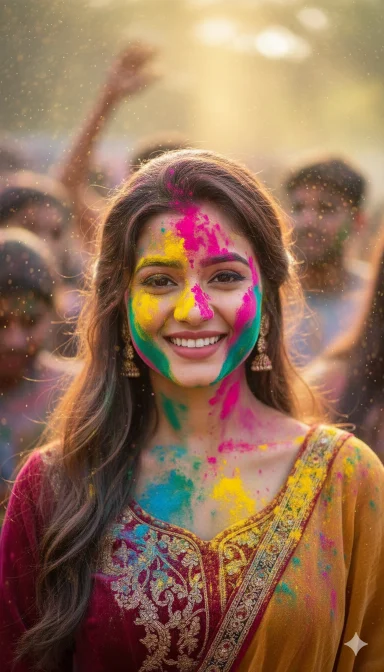
cinematic portrait of a young Indian woman celebrating Holi festival, colorful gulal powder (bright pink, yellow, blue, green, orange) naturally smeared and splashed on face, beard, hair and white kurta, soft golden hour sunlight, warm glowing skin tones, shallow depth of field, creamy bokeh background, festival crowd softly blurred behind, floating color dust particles in air, sharp focus on eyes, natural skin texture, detailed facial features, realistic beard texture, vibrant festival colors, DSLR photography, 85mm lens, f/1.8 aperture, high dynamic range, professional color grading, photorealistic, joyful expression, Instagram aesthetic, ultra high resolution, 8k detail
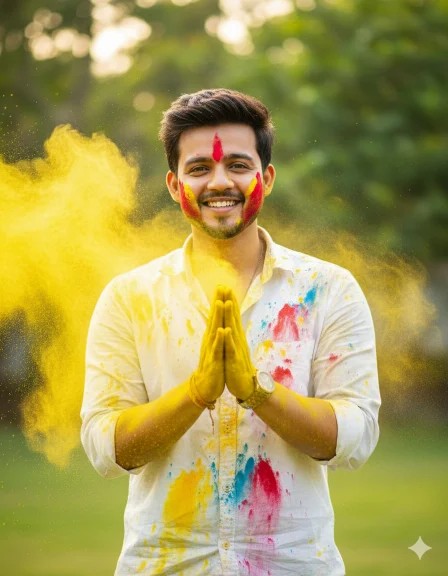
Ultra-realistic Holi festival portrait using my uploaded photo as the face reference, joyful young man smiling naturally, hands pressed together in front of chest covered in bright yellow Holi powder, vibrant yellow color powder exploding and flying across the frame, white button-up shirt splashed with multicolor paint stains (yellow, red, blue), red powder streak on one cheek, playful festive expression, dynamic powder particles frozen mid-air, outdoor garden background softly blurred with green foliage, bright natural daylight, warm tones, cinematic lighting, shallow depth of field, sharp focus on face, ultra-detailed skin texture, high shutter speed capture, 85mm lens, f/1.8, professional DSLR photography, vibrant colors, high contrast, 8K resolution, realistic fabric texture, energetic Holi celebration atmosphere, editorial photography style
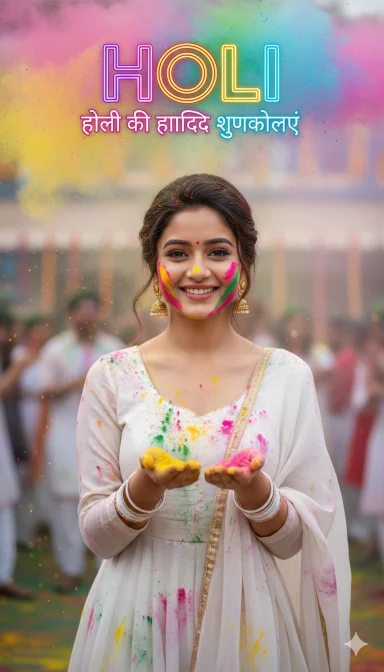
Use my selfie as the exact face. 2:3 ultra-real Holi photo of a young Indian girl, camera-facing. White suit with dupatta, light red/yellow/green/blue color marks, earrings, white bangles, small red tilak, light gulal on cheeks and hands, both hands slightly raised with color.
Festive Holi crowd background with flying colors, top gulal clouds, mid blur, foreground color dust blur for depth. Add bold multicolor text “HOLI” at top and “होली की हार्दिक शुभकामनाएं” just below it. Neon vibrant grading, high contrast, soft glow, studio light, 4K, Instagram poster look.
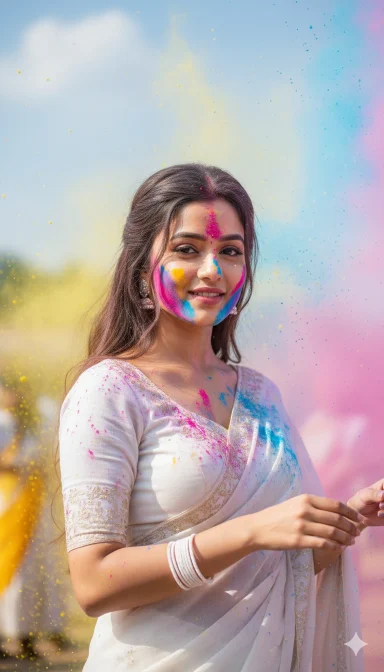
“Create a cinematic, ultra-realistic image of a young Indian girl celebrating Holi. She wears an embroidered white saree and matching blouse, with long hair and white bangles. Her face is dusted with pink and blue powder, and vibrant colored powder (red, yellow, blue) floats in the air. She has a gentle smile, one hand slightly raised, also covered in powder. The setting is outdoors with a light blue sky, shallow depth of field, and a festive atmosphere. Keep the girl’s face unchanged, focusing on realistic skin texture, vibrant yet natural colors.”
How To Create Ai Photo By Prompt Copy-Paste In Google Gemini?
Friends, it is very easy to create trending AI photo with the help of prompt in Google Gemini, we can create it in just one click. See the steps given below and start making your photo.
- First of all, choose your favorite Prompt from this website and copy.
- Now open Google Gemini in mobile app or browser and Sign In with your Gmail.
- Now click on the below (+) button and upload your photo (Photo should be clean and clear photo).
- Then paste the Prompt in the text box and send it.
- Now you have to wait for some time and your image will be created, after making the image you can download it.